
UTM Official Email
Using Google Workspace
How
Google Workspace
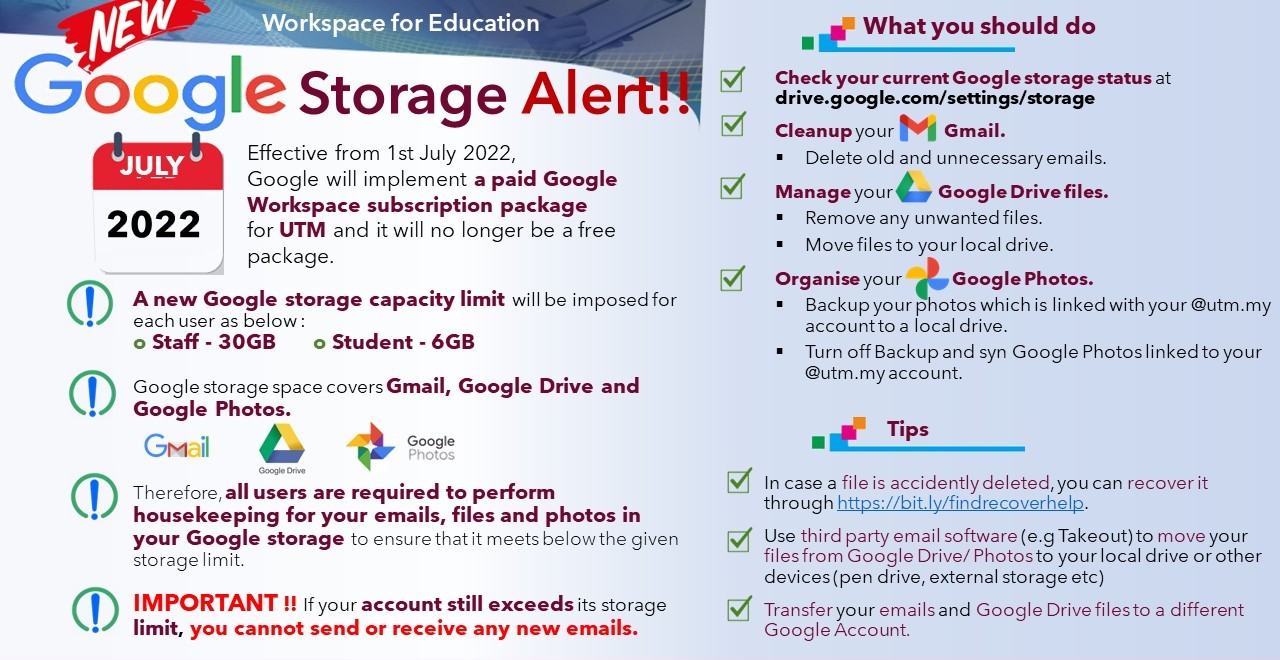
Effective from 1st July 2022, Google will implement a paid Google Workspace subscription package for UTM and it will no longer be a free package. A new Google storage capacity limit will be imposed for each user: Staff - 30GB and Student - 15GB.
Attached are the steps on "How to purchase Google Workspace Additional Storage".
Attached are the steps on "Housekeeping Google Storage for Staf"
UTM eMail Guidelines
Your Gmail account is also your Google Account, so you can use your same Gmail username and password to use other Google products like YouTube, Google+, Google Sites, Google Drive, Google Talk, and others.
STEP TO LOGIN TO GMAIL
Go to Gmail account for staff and URL mail.graduate.utm.my for student
To login, you need to use your USERNAME and PASSWORD;
USERNAME : put your full email address, eg: ali@utm.my / ali@graduate.utm.my
PASSWORD : put your barcode number
Press “Sign In” button to proceed. Then, you can access to your Gmail Inbox.
How
Important Notice
If a user deletes a message by clicking Delete, the message will be moved to the Trash but remains available for 30 days. Mail in Trash will be auto-deleted after 30 days!
If user click Empty Trash manually, emails will be permanently deleted and not retrievable!
Please proceed email deletion process with extra caution!
